
Policy management softwareOne current version of every policy, and proof that people read it
Dev Soft UK designs and builds policy management software for you with DocView Capture, DocView Web and DocView OmniRead. Policies and procedures are drafted, reviewed and approved in a workflow, published as a single current version, acknowledged by the staff they apply to, and brought back for review on time.
| Policy | Owner | Version | Next review | Status |
|---|---|---|---|---|
| Information security | IT manager | 4.0 | 01/03/2027 | Published |
| Travel and expenses | Finance director | 2.3 | 15/12/2026 | Review due |
| Lone working | Health and safety lead | 1.2 | 30/06/2027 | Published |
| Hybrid working | HR manager | 3.0 draft | - | In approval |
| Data retention | Data protection lead | 2.0 | 01/09/2027 | Published |
Illustration with sample data.
Three copies of the same policy, and nobody sure which is live
Policies are written in a word processor, e-mailed round for comments and saved to the intranet when someone remembers. Older copies stay in shared folders and in printed handbooks. Staff follow whichever one they find first.
When an inspector, auditor or tribunal asks which version applied on a given date, and whether an employee had read it, the answer takes days to piece together.
Read and acknowledged
Each acknowledgement records the person, the policy, the version and the date, so the question can be answered from one record.
The policy life cycle
Draft
The owner uploads a new policy or a revised draft.
Review
Subject experts and HR or legal comment on it.
Approve
The approver signs off, or sends it back with reasons.
Publish
The new version replaces the old one for everyone it covers.
Acknowledge
Staff read it and confirm, and gaps are chased.
Review again
The owner is reminded before the review date.
The documented building blocks
Each of these is a feature of DocView Web today.
A policy document type
Policies stored with their own fields, such as owner, department and review date, with saved filters for each team.
Review and approval routes
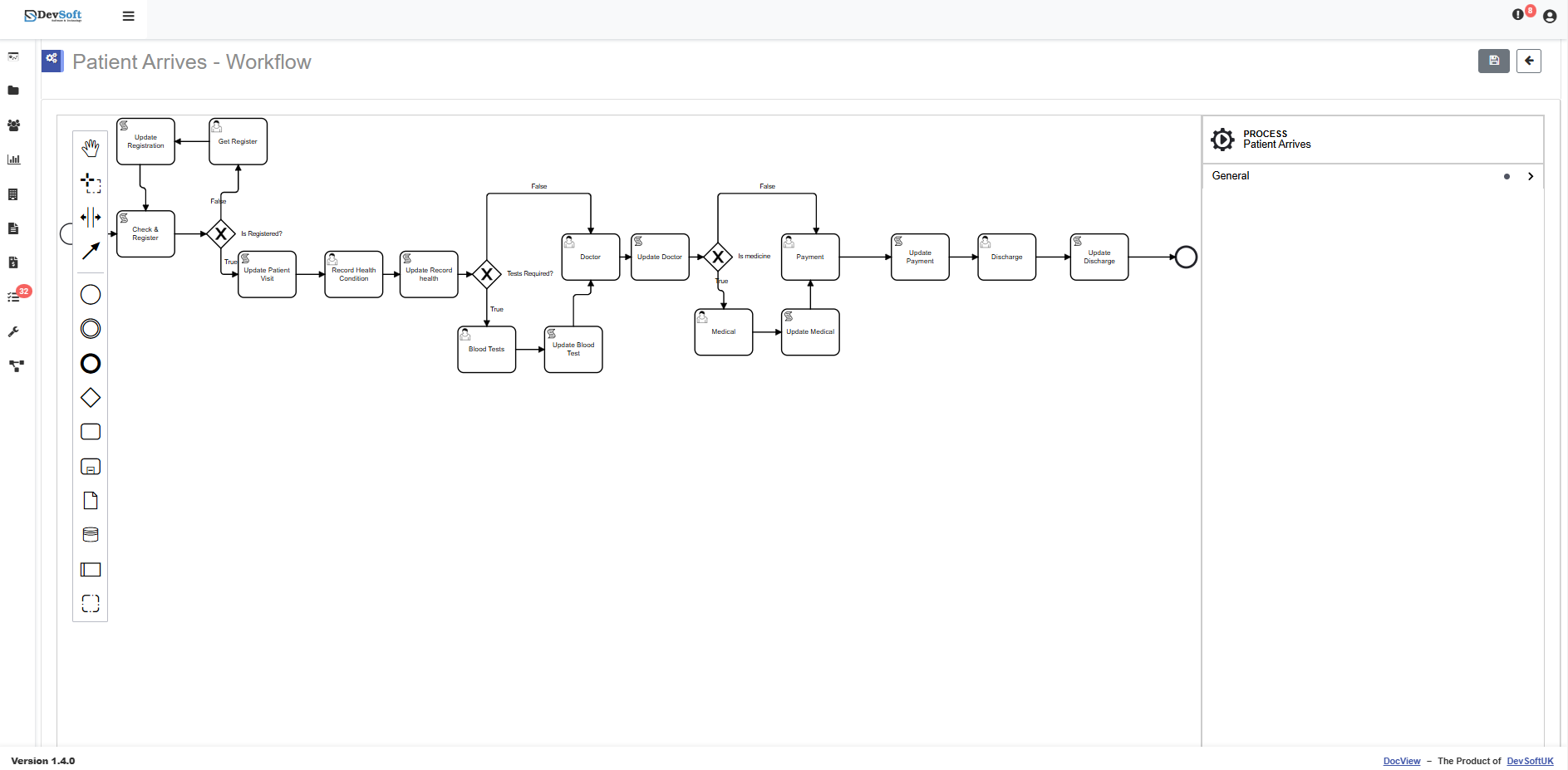
Steps for a user or role, with Approve, Reject, Complete or your own actions, drawn on a drag-and-drop canvas.
Forms inside a step
A form can collect answers during a workflow step, such as a reviewer's comments or a reader's confirmation.
Users, groups and permissions
Drafts stay with their authors and reviewers, while published policies are open to the groups they apply to.
History beside each policy
What happened to the document and who did it, alongside its notes and properties.
Chat with Documents
Staff ask in plain English, such as how much notice to give for leave, and the answer links to the policy it came from.
Your policy framework, set up the way you govern it
Who owns a policy, who must approve it and who has to read it differ for every organisation. We agree that with you and build it into DocView.
- We configure version numbering, so only the approved version is shown as current and earlier ones are kept as superseded
- We build read-and-acknowledge campaigns by department, role or site, with a record of who has confirmed each version
- We add chasers to staff who have not acknowledged, and a list for their managers
- We build review-date reminders for policy owners, with escalation if a review is overdue
- We can add a short attestation or quiz to the acknowledgement for policies where reading is not enough
- We set up DocView Capture to scan and index your existing printed procedures and signed acknowledgement sheets
- We can connect DocView to systems such as SharePoint or your HR system, so policies and staff lists stay in step
Organisations that have to show their people know the rules
- HR teams keeping handbooks and people policies current
- Compliance and risk teams in regulated firms
- Care providers, schools and trusts with many procedures and many sites
- Health and safety leads who need method statements and procedures read
- IT and information security teams with acceptable use and security policies
- Quality managers keeping controlled procedures for audits
New starters can acknowledge policies as part of their induction. See employee onboarding.
Policy management questions
Is this an off-the-shelf product?
No. It is DocView Web configured for your policies and, where needed, extended by Dev Soft UK. Document types, workflows, forms, permissions, history and Chat with Documents are part of DocView Web; version control rules, acknowledgement campaigns, chasers and review reminders are built by us for your framework.
Can we show which version an employee acknowledged?
Yes. We build the acknowledgement so it records the person, the policy, the version number and the date, and it stays on file when a newer version is published.
What happens to acknowledgements when a policy changes?
You decide. For a minor correction you may not need people to confirm again; for a significant change we can start a new acknowledgement round for everyone the policy covers.
Can different policies go to different staff?
Yes. We target each policy at the groups, roles or sites it applies to, so people are only asked to read what concerns them.
Does it write or check our policies for us?
No. It manages how policies are approved, published, read and reviewed. The content, and whether it meets your obligations, stays with your own policy owners and advisers.
Know which policy applied, and who read it
Send us your list of policies and how they are approved today. We will show you how DocView could keep them current and acknowledged.