
Employee onboarding and right to work document managementEvery new starter's paperwork, complete and on file
Dev Soft UK designs and builds employee onboarding and right to work document management for you with DocView Capture, DocView Web and DocView OmniRead. Packs are collected and checked, gaps are chased, and the record of each right to work check shows who made it and when to look again.
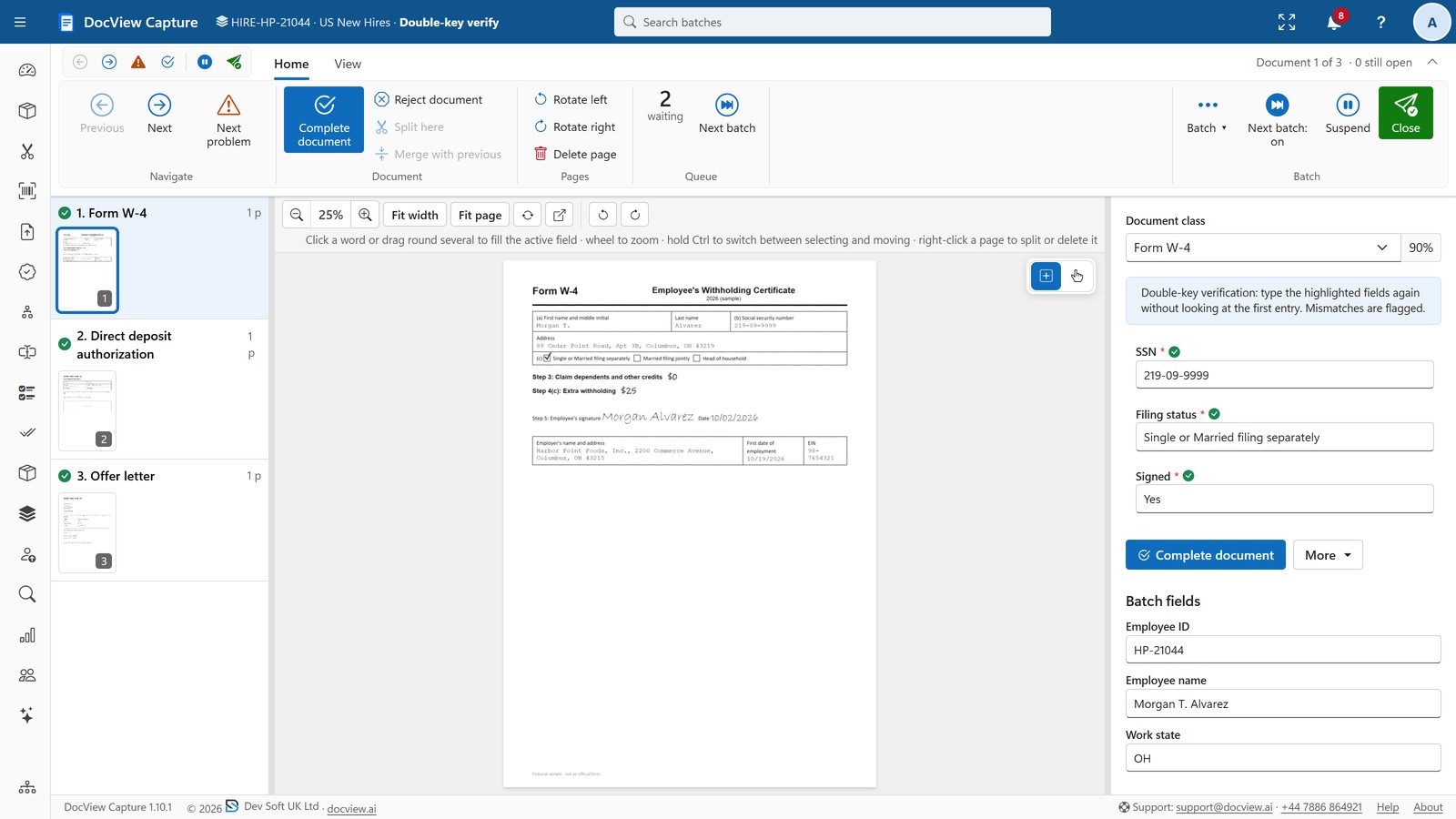
Illustration with sample data.
Start dates arrive before the paperwork does
A new starter's pack can hold an offer letter, a signed contract, a starter checklist, bank details, emergency contacts, policy acknowledgements and identity documents. Some arrive by e-mail, some on paper, some never arrive at all.
Right to work evidence needs particular care. You need to show that a check was made before work started, who made it, and when a time-limited permission must be checked again. That is hard to prove from a shared folder.
Evidence you can find
Designed to help you keep evidence of your checks: the copy, the date, the person who checked and the follow-up date, together on one record.
From offer accepted to first day, and on to leaving
Collect the pack
The starter's documents are scanned, uploaded or sent in, and each one is labelled by type.
Record the right to work check
The person making the check records their name, the date and, where permission is time-limited, a follow-up date.
Chase what is missing
Items still outstanding are listed, and the starter or their manager is reminded until they arrive.
Close it when they leave
A leaver's pack gathers the resignation, exit checklist and equipment return in the same employee file.
Documented features we start from
Personnel documents get the same controls as the rest of DocView, plus capture setups made for onboarding.
UK onboarding setup
DocView Capture has a ready-made UK onboarding setup that splits a starter pack and reads the details into fields.
Number checks
Format checks for National Insurance numbers and sort codes, with double-key verification for bank details.
Restricted access
Capture permissions per module, operation and Batch Setup; DocView Web access per document type, users and groups.
Employee files
DocView Web document types with their own fields, so each document is found by employee and type.
Document cases
Group the documents that belong to one person, and give outside parties controlled access where needed.
History
A record of what happened to each document and who did it, plus an audit trail of every field change in Capture.
Your checklist, your policies, your reminders
We shape DocView around your own starter checklist and the way your HR team works.
- We configure the onboarding checklist for each role or site, and show what is still missing
- We build missing-item chasers to the starter, the hiring manager or HR
- We add a right to work record with the named checker, check date and follow-up date, and remind HR before the follow-up is due
- We build policy acknowledgements, so starters confirm they have read each policy and the date is kept
- We add leaver packs and joiner, mover and leaver forms for IT access and equipment
- We can connect DocView to your HR or payroll system, so details are not typed twice
Anyone who hires regularly
HR teams
Teams onboarding people every week, who need each file complete before a start date.
Multi-site employers
Retail, care, hospitality and logistics employers where managers in many places collect documents.
Agencies and outsourcers
Firms placing workers with clients, who must show their checks on request.
Onboarding and right to work questions
Is this an off-the-shelf product?
No. It is DocView Capture and DocView Web configured for your onboarding process and, where needed, extended by Dev Soft UK. The capture setup, checks, permissions and history are part of DocView; the checklist, chasers, right to work record and reminders are configured or built by us.
Does DocView make the right to work check for us?
No. Your staff make the check. DocView is designed to help you keep evidence of your checks: the documents seen, the person who checked, the date and when to check again. How to make the check is set by current official guidance, so take advice where you need it.
Can we keep HR documents away from other staff?
Yes. Access is limited by permissions, so only the people you choose can open personnel documents.
Can a second person check bank details?
Yes. In DocView Capture, double-key verification has a second operator re-key chosen fields without seeing the first entry, and any difference is flagged.
Can we start with the files we already hold?
Yes. DocView Capture can scan and index existing personnel files, and we set it up so they arrive in DocView Web labelled by employee and document type.
More on reading HR forms with DocView Capture: HR document capture.
Have every starter ready on day one
Send us your starter checklist and we will show you how DocView could collect, check and chase it.