
Complaints handling softwareEvery complaint found, acknowledged and resolved on time
Dev Soft UK designs and builds complaints handling software for you with DocView Capture, DocView Web and DocView OmniRead. Complaints are picked out of the post, e-mail and forms, the key details are read, an acknowledgement goes out, and each case is tracked against its deadline until it is closed.
A complaint hidden in the post is already late
Customers rarely write "complaint" at the top of the page. A dissatisfied letter can look like a change request, and an angry e-mail can land in a general inbox. In regulated sectors the response deadline runs from the day the complaint arrives, whether or not anyone has noticed it.
- Complaints spotted in every channel, not only the complaints inbox
- The complainant, product and issue recorded once, correctly
- Deadlines and escalations visible to managers before they are missed
How a complaint moves through DocView
Capture
Letters are scanned, e-mails and web forms are imported, and each complaint becomes a case.
Read
The complainant, account or policy number, product and issue are read and checked against your customer records.
Acknowledge
An acknowledgement letter or e-mail goes out, and the response deadline is set.
Investigate
The case goes to the right team, with the documents and the history on the same screen.
Escalate
Cases near their deadline go to a manager, and referrals to an ombudsman are tracked as cases of their own.
Resolve and report
The final response is recorded, and reports show volumes, causes and timeliness.
Included in DocView
- A DocView Capture mailroom setup that classifies post as invoice, order, complaint, change of address, legal letter or other
- Import from IMAP, POP3 and Microsoft 365 mailboxes, watched folders and the REST API
- Handwriting, tick boxes and printed text read from paper forms
- Database lookups to check and fill customer details
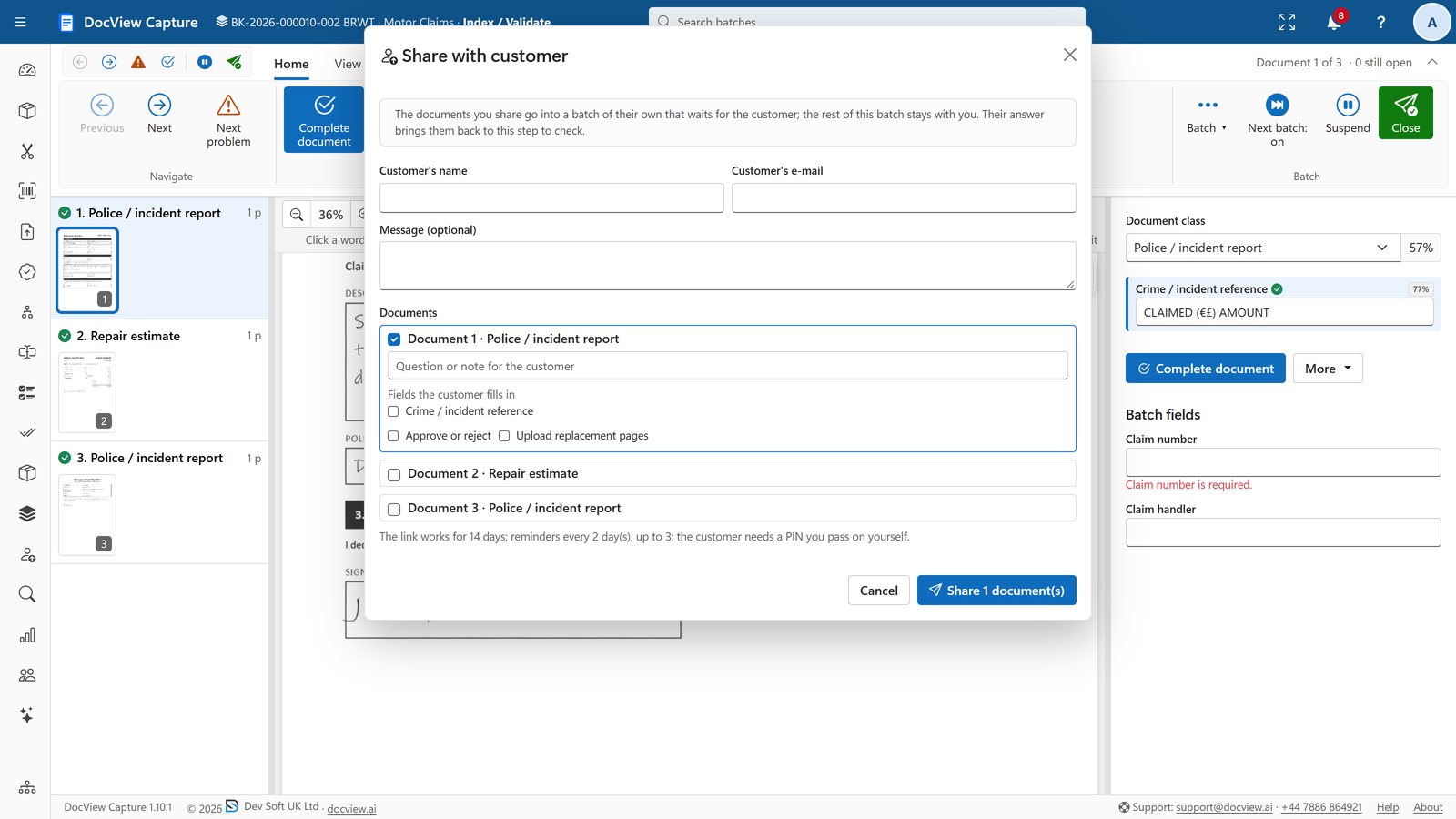
- Customer sharing by secure link and PIN, with reminders and escalation to named staff
- DocView Web workflow with tasks for a user or role, conditions, forms and custom actions
- Dashboards and reports, including turnaround time, with scheduled e-mail delivery
What we configure or build for you
- We train classification on your own complaints, so they are found in general post and e-mail
- We configure the fields you record: complainant, product, issue, root cause and outcome
- We set up acknowledgement and final response letters on your letterhead
- We build deadline rules that match the rules your sector follows, with reminders and escalation
- We add ombudsman case tracking linked to the original complaint
- We connect DocView to your CRM or case system, using REST, webhooks or a database
The same intake handles customer requests
Most of what customers send is not a complaint. We can route these requests through the same capture and workflow.
- Change of address
- Direct debit mandates
- Cancellations and retention requests
- Returns and refund requests
- Name and ownership changes
- Identity re-verification
- Account opening forms
- Product registration and warranty cards
- Feedback forms and surveys
Organisations that answer to their customers
Financial services firms, insurers, utilities, housing providers, retailers and public bodies that receive complaints in several channels and must show they handled each one fairly and on time.
Is this an off-the-shelf product?
No. It is DocView Capture and DocView Web configured for your complaints process and, where needed, extended by Dev Soft UK, for example with your own letters, deadline rules and a connection to your CRM.
Which deadlines does it track?
The ones your organisation works to. We set response deadlines with you from your regulator's rules and your own service standards, and the solution is designed to help you meet those obligations.
Can it find complaints in general post?
Yes. DocView Capture classifies incoming post, and complaint is one of the classes in the mailroom setup. We train it on your own samples, and anything the classifier is unsure about goes to a person.
Can we ask the customer for more information?
Yes. DocView Capture can share chosen documents with the customer by secure link and PIN. They can answer questions or upload replacement pages, with reminders and escalation if they do not reply.
Where does it run?
We can host it on Azure, AWS, Google Cloud or another provider of your choice, or install it on your own servers or cloud.
See your complaints process in DocView
Tell us where complaints arrive today and the deadlines you work to. We will show you how DocView could handle them.