The full document capture lifecycle in your browser — scanning, quality control, indexing, review, search and reporting.
DocView Capture Web is the browser-based workspace for the full document capture lifecycle — from scanning and quality control through indexing, review, search and reporting. It delivers the same core processing capabilities as the desktop client, accessible from any modern web browser without installing software locally.
Launch browser-based capture in under two hours — no installs, no setup delays, immediate access for every user.
Search efficiently with full index filters and locate documents instantly using metadata such as date, category or custom tags.
Enjoy secure access with enterprise grade authentication, including support for Single-Sign-On (SSO) and 2FA.
Works with a wide range of file types including TIFF, Word, PDF and email while benefiting from a multilingual interface for global teams.
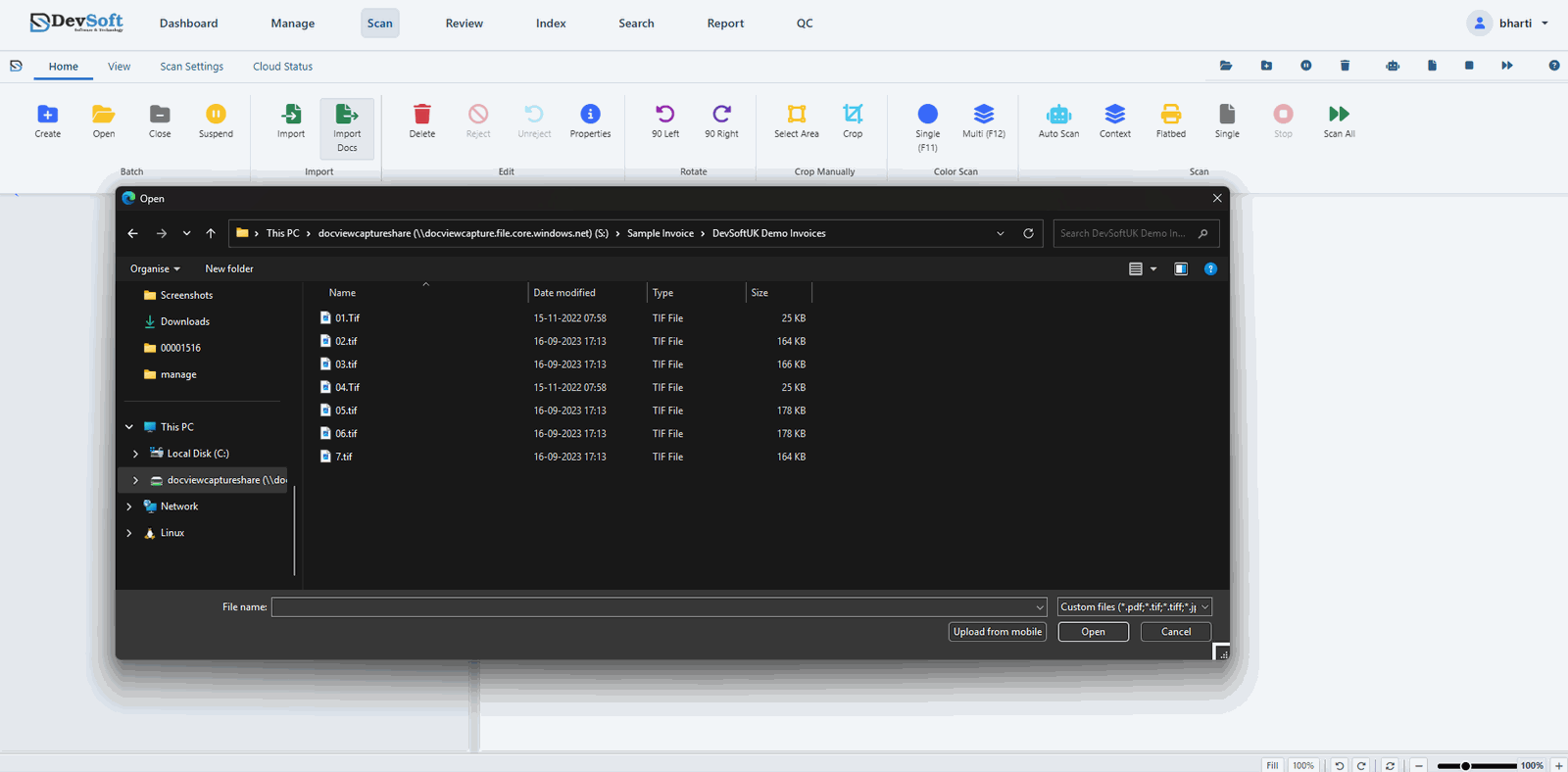
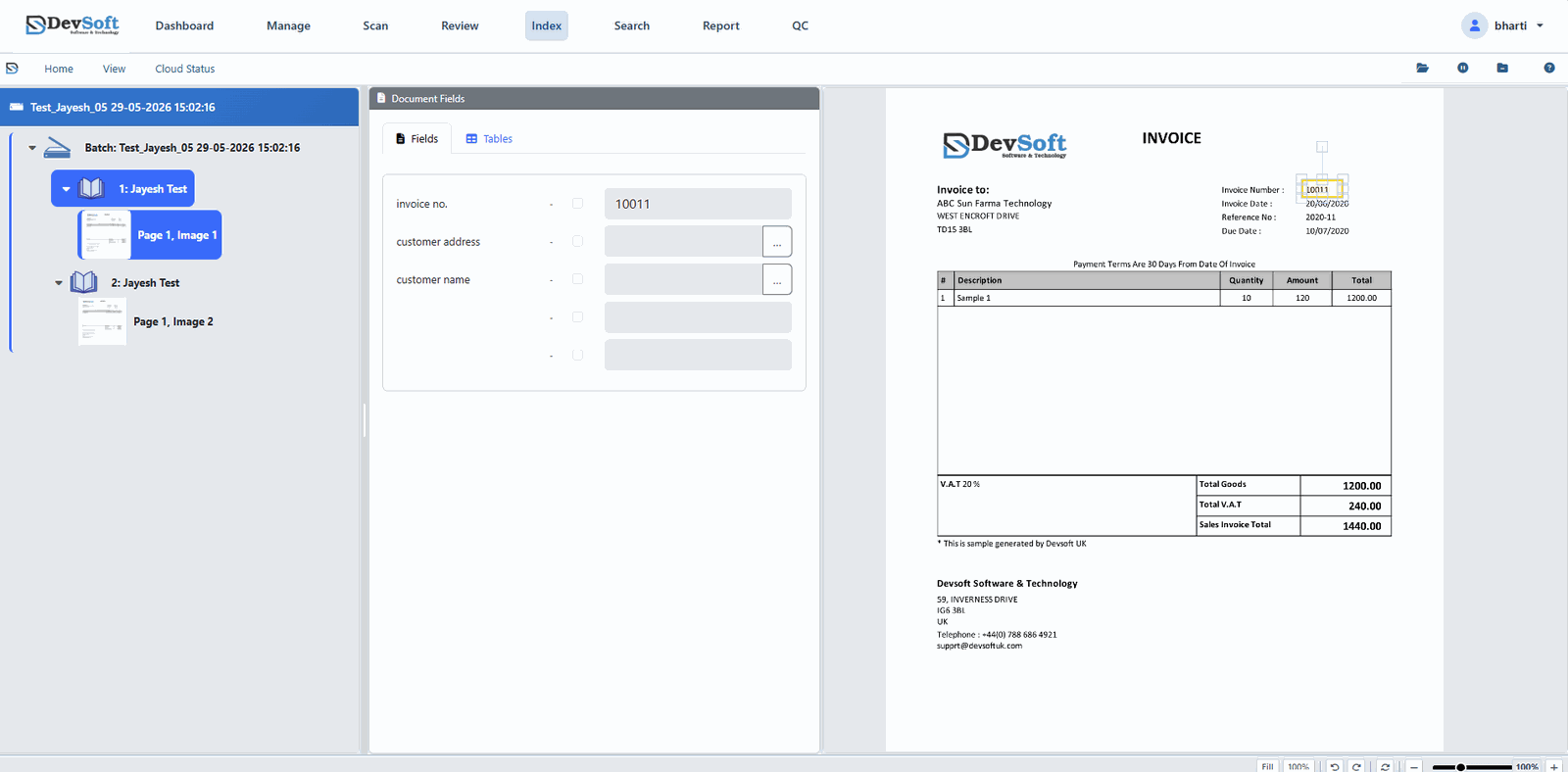
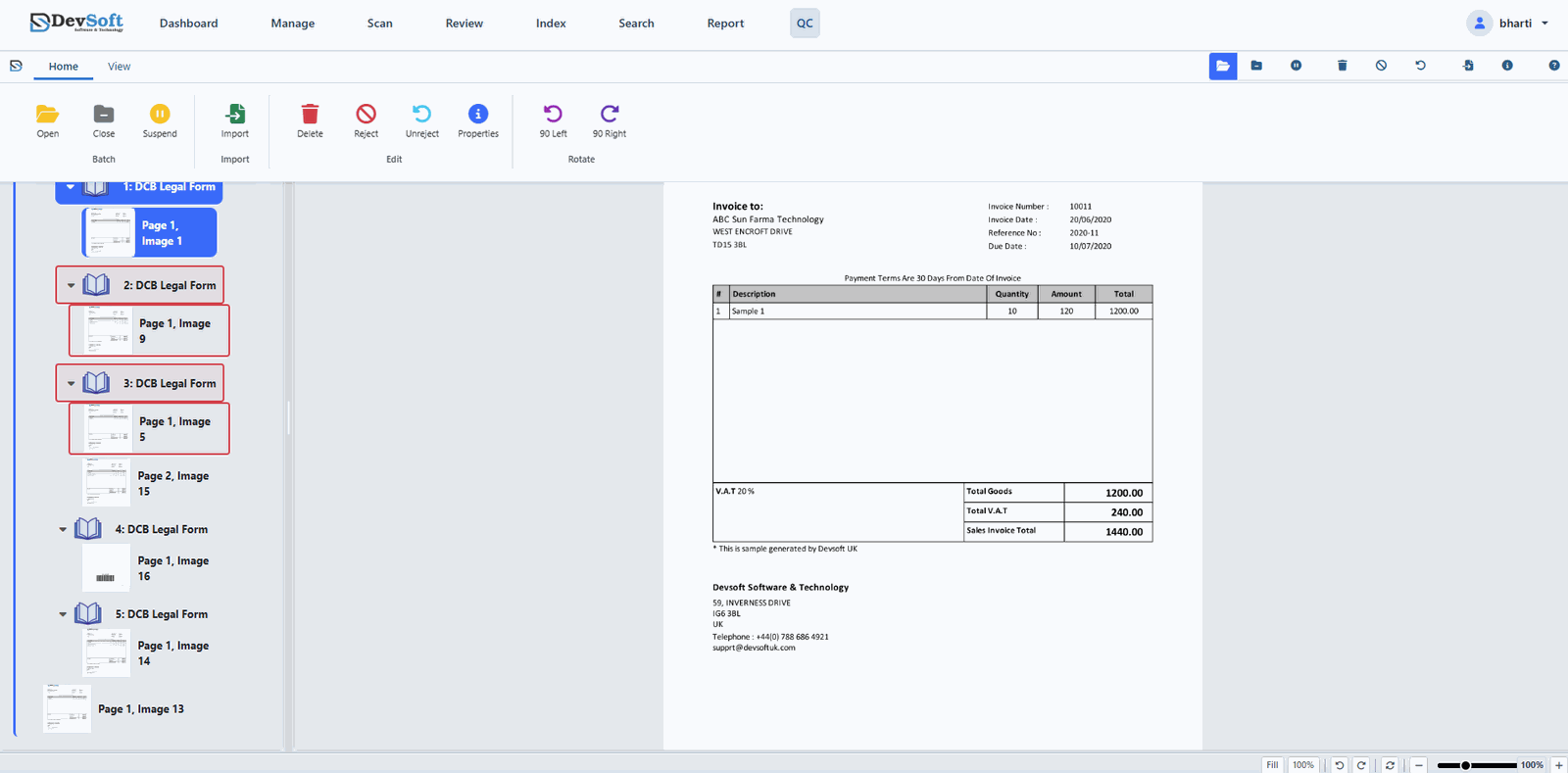
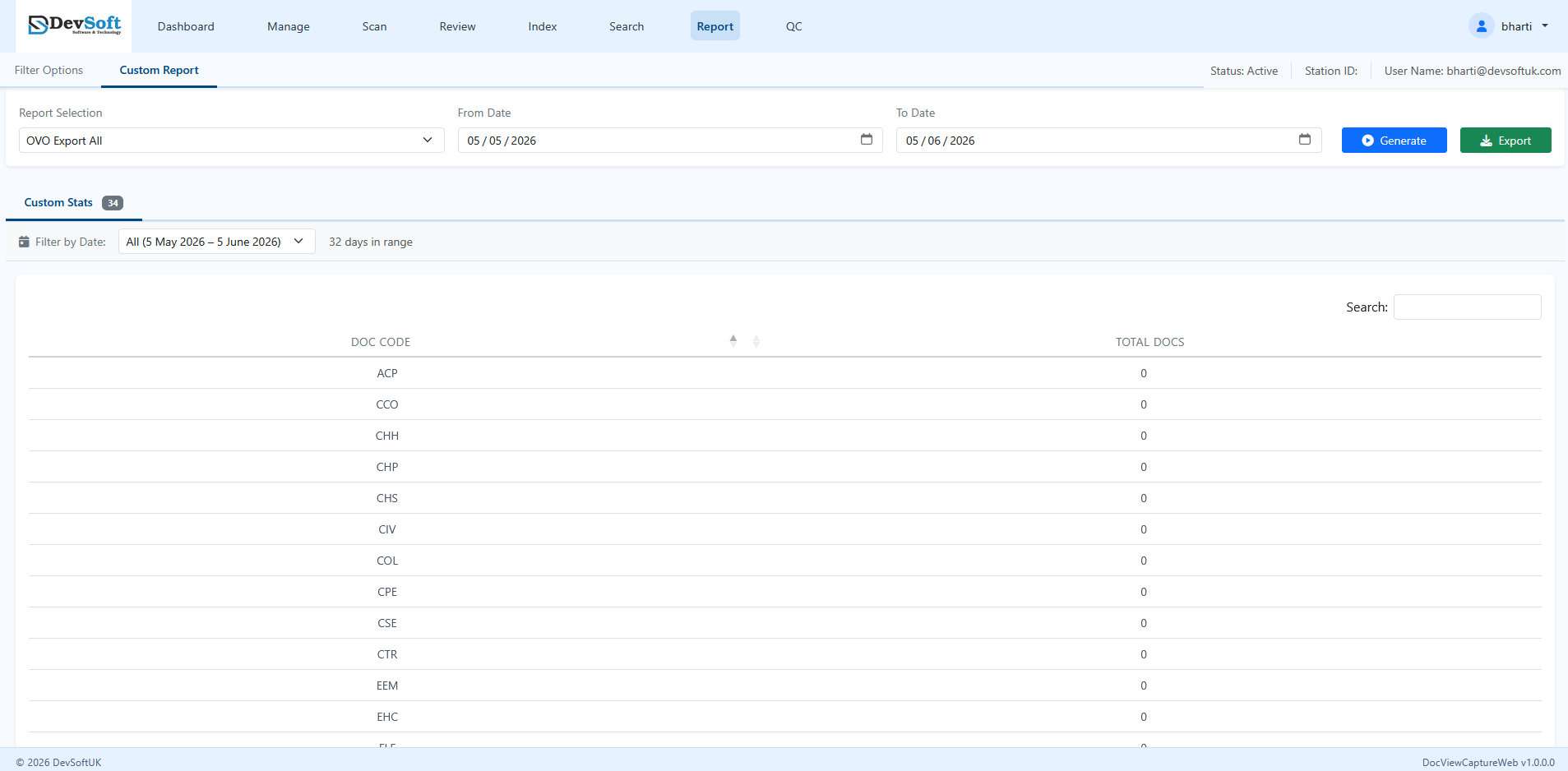
Real screenshots from the product — every step below is covered in depth in the user guide.
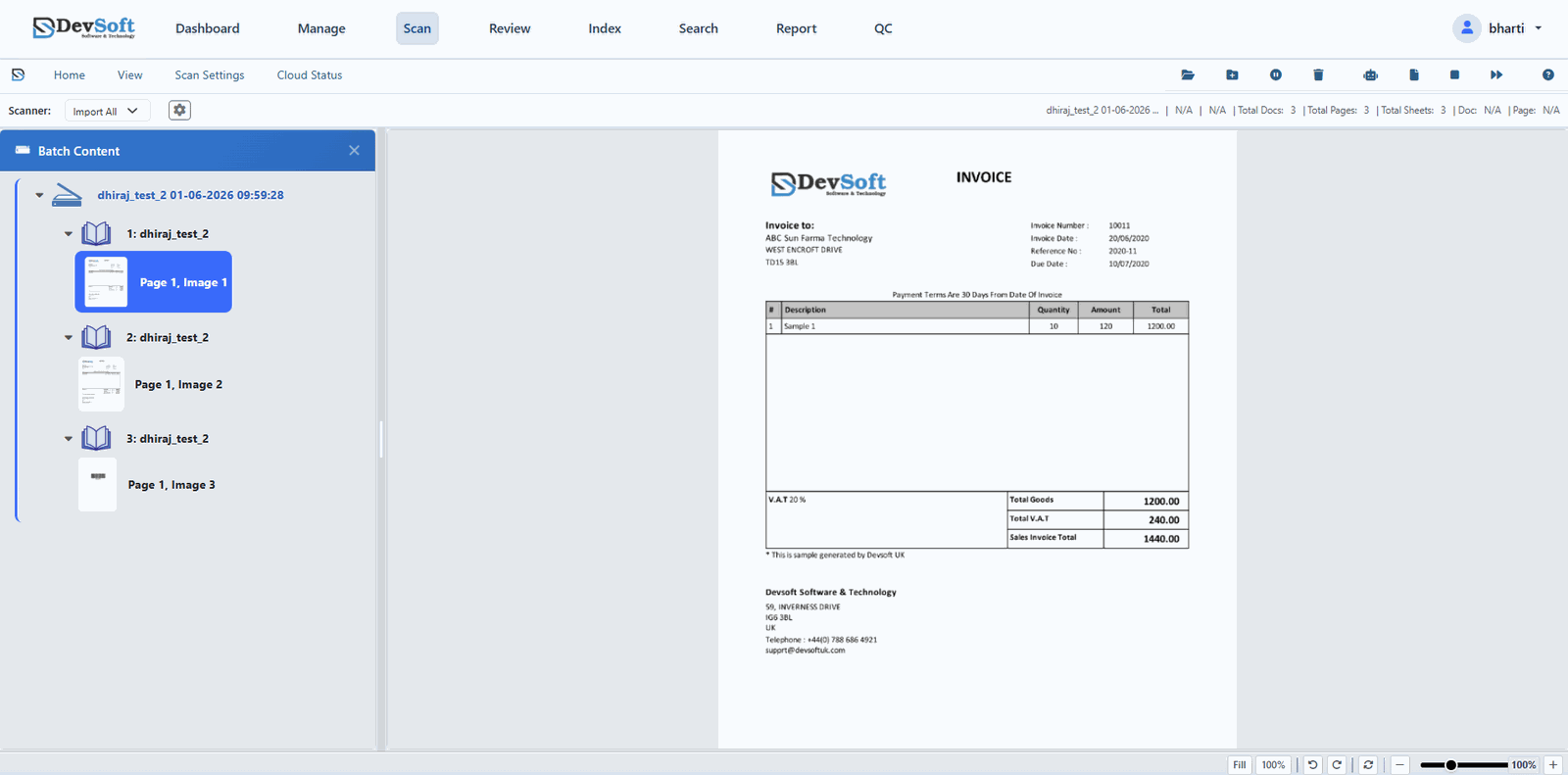
Scan from connected devices or import digital files straight into a batch — with preview, cleanup and profile-based capture, all from the browser.
Read the Web Scanning guide
Enter or correct field values, or simply draw a zone on the document image to extract data via OCR and populate index fields — validated against your business rules.
Read the Indexing guide
Inspect batches page by page, accept or reject documents, and route exceptions back for rework — so only clean, verified data leaves the capture process.
Read the Quality Control guide
Find any document or batch instantly, build custom reports on throughput and status, and export the results to Excel for supervisors and audits.
Read the Report guideClick any module to read its chapter in the user guide.
DocView Web App manages everything after capture — AI-assisted document management, finance automation and a visual workflow designer.
Explore DocView Web AppSee DocView in action with a personalised walkthrough for your team.
Schedule a Demo